 Toolbox Max
One extension instead of a dozen.
A panel next to the page with photos, QR codes, screenshots, a notepad, colours and fonts. Toolbox Max is for everyone, and the Developers version is for webmasters, SEO people and agencies. One Pro key works in both.
No account. No tracking. Both extensions are free, Pro is an optional key.
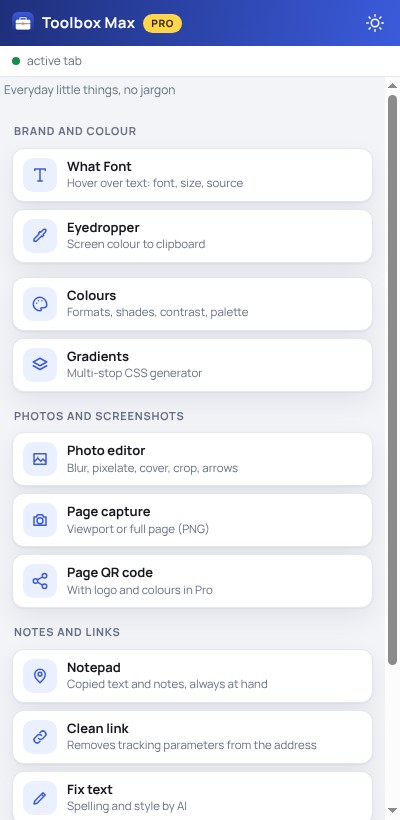
 A panel always next to your page
Stop installing another extension for every single thing
Screenshots, eyedropper, fonts, SEO audit, notes, QR code. Usually these are separate add-ons with separate settings. Here everything has one look, one update and one license.
Which extension should you choose?
You get both free from the Chrome store. Developers includes everything in Toolbox Max, so you don’t install both at once.
Toolbox Max
For everyone. Light, with minimal permissions.
- Photo editor, QR code, Page capture, Notepad
- Clean link, Word count, Fix text
- What Font, Eyedropper, Colors, Gradients
- Doesn’t ask for access to all sites
Toolbox Max for Developers
For webmasters, SEO people and agencies.
- Everything in Toolbox Max
- Meta and SEO, H1–H6 headings, Share preview
- Link audit and check, Contrast, HTTP headers
- Page speed, Technologies, Styles, Measure, Images
One Pro key works in both extensions. You buy once. If you later switch to Developers, you enter the same key and don’t pay twice.
What’s in which extension
Switch the tab to see the tools of each extension.
11 everyday tools
You can capture a page, blur a face or data in a photo, make a QR code, pick a colour or font from a page and save copied text. No jargon, no account.
- Photo editorBlur, pixelate, cover, crop and add arrows.
- Page captureThe visible area or the whole page as a PNG file.
- Page QR codeQR code of the open page. In Pro with your own logo and colors.
- NotepadCopied text is saved automatically as sticky notes.
- Clean linkRemoves tracking parameters from the page URL.
- Fix textSpelling and style by AI: 10 corrections a month free (coming soon).
- EyedropperA color from anywhere on the screen straight to your clipboard.
- ColorsFormats, shades, WCAG contrast and the page palette.
- GradientsCSS gradient generator with multiple stops.
- What FontHover over text to see the font, size and source.
- Word countReading time and the most frequent words on a page.

25 tools for webmasters, SEO and agencies
Everything in Toolbox Max plus 14 tools for working with sites: SEO, 404 links, speed and Core Web Vitals, HTTP headers, technologies, styles, measurements and accessibility.
Everything in Toolbox Max plus these tools:
- H1–H6 HeadingsHeading structure and hierarchy errors.
- Meta and SEOTitle, description, canonical, Open Graph and structured data.
- Share PreviewHow a page looks on Google, Facebook, LinkedIn and X.
- Site Data CleanerCache, localStorage and cookies for a single site.
- Audyt linków ProEmpty, external and nofollow links in one view.
- Sprawdzanie linków ProDead 404 links and redirects.
- Kontrast strony ProWCAG contrast and accessibility for the whole page.
- HTTP headers ProCache, compression and security.
- Technologie ProCMS, frameworks and site analytics.
- Pomiar elementów ProDimensions, spacing and a ruler on the page.
- Style strony ProFonts, sizes, colors and border radii.
- Page speed ProLCP, CLS, TTFB and the largest files.
- Branding cheat sheet ProA page's colors, fonts and logo in one view.
- Grafiki ProWeight, alt text and downloading all images as a ZIP.
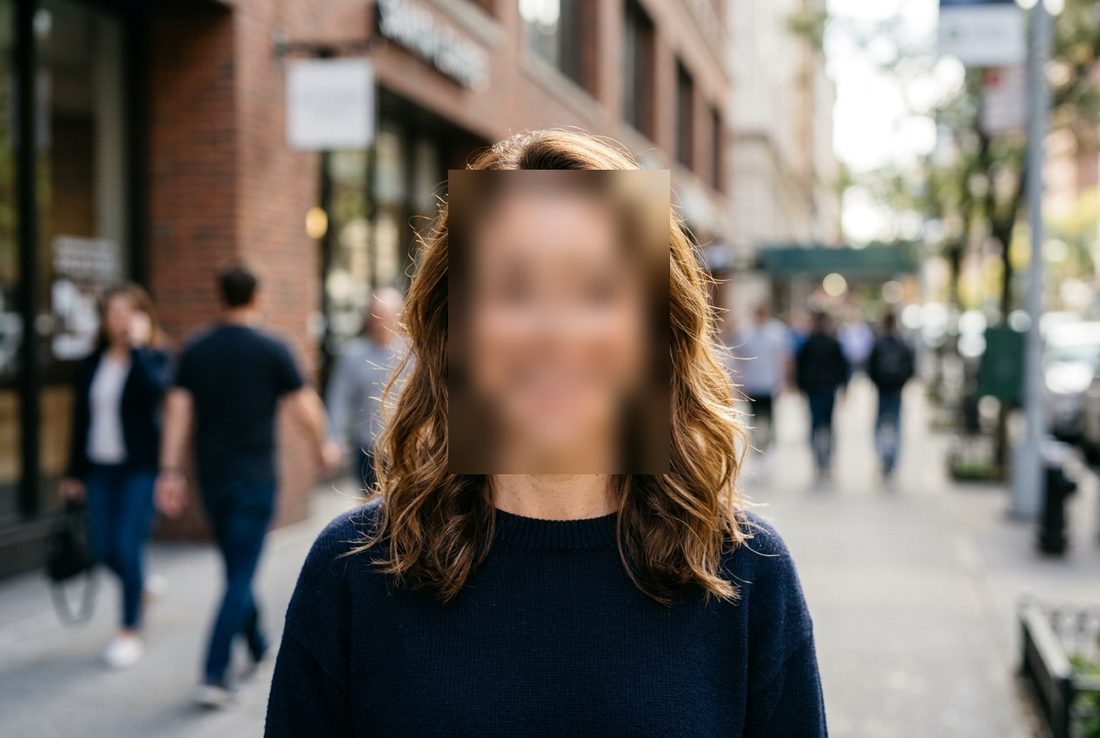
Blur faces and sensitive data in seconds
Select part of a photo or screenshot and blur, pixelate or cover it. You can also add an arrow, text and a crop.
- A photo from a file, the clipboard, drag and drop, or a screenshot of the open page
- Blur, pixelate, cover, frame, arrow, text, crop
- Everything happens in your browser; the image is never sent anywhere
- Pro: a series of photos at once and automatic face detection (you always check and correct the result by hand)

 BeforeAfter
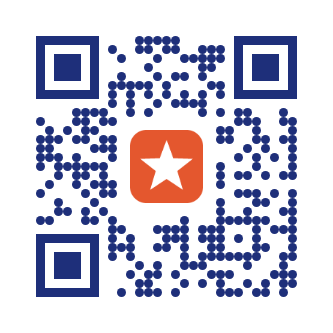
A QR code for the open page, with your logo too
A standard QR code is free. In Pro you can add your own logo in the middle, colors and rounded dots. The code always stays scannable by a phone.
- A code for the current page in one click
- Pro: logo, background and code colors, rounded dots
- Download a PNG or copy to the clipboard
The extensions are free. Pro unlocks the extras.
Free
No account, no time limit.
- Both extensions: Toolbox Max and Developers
- Photo editor with manual blur, QR code, Page capture, Notepad and more
- Developers also has Meta and SEO, H1–H6, Share preview
- Fix text: 10 corrections a month (coming soon)
Pro one key, both extensions
or $39 one-time · $29 at launch (early bird)
- Everything in Free
- Photo series and automatic face detection
- QR code with logo, colors and rounded dots
- In Developers: link audits, page speed, styles, measurement, HTTP headers, branding cheat sheet, ZIP of images
- Fix text: 300 corrections a month (coming soon)
Frequently asked questions
What’s the difference between Toolbox Max and Toolbox Max for Developers?
Toolbox Max has 11 tools for everyone and asks for minimal permissions. Developers has 25 tools and includes everything in Toolbox Max, plus tools for SEO, links, speed and site analysis. They are two separate extensions in the Chrome store.
Does one Pro key work in both extensions?
Yes. You buy Pro once and enter the same key in the panel of each extension, in the Licence tab.
I have Toolbox Max. What do I do to get the Developers version?
Install Toolbox Max for Developers from the Chrome store and enter the same Pro key in it. You pay nothing twice. You can then remove Toolbox Max, because Developers has all of its tools.
Do I need to create an account?
No. Both extensions work right after installation. You activate the Pro licence with the key from your e-mail.
Do my photos go to a server?
No. The Photo Editor runs in your browser. The photo you load stays on your computer.
What happens to my notes?
Notes, color history and settings stay in your browser. The only things sent to a server are the license key at activation and the text you select yourself for the AI fix feature (Pro, coming soon).
Why does the extension ask for access to pages?
Only optionally. This applies to the Developers version. With your consent the panel works on every tab without clicking the icon again. Toolbox Max (11 tools) never asks for access to all sites and works on the tab where you clicked the icon.
Can I get a refund for Pro?
Yes, within 30 days. One license works on several devices.
All tools in one panel
Install it for free and see how many extensions you can finally uninstall.
Add to Chrome